Custom Domain Handles on Bluesky and the Fediverse, How to Make Your Site Your Social Address
A social handle is usually rented. @yoursite.bsky.social belongs to Bluesky's domain, @you@mastodon.social to someone else's server. Both the open networks let you swap that for a domain you own, so your social address is yoursite.com on Bluesky and @you@yoursite.com on the fediverse.
It's the cheapest bit of independence a publisher can buy. It proves the account belongs to the site, it's easy to remember, and if you change hosts or apps, the name comes with you.
The two networks do it differently, so here's each in turn.
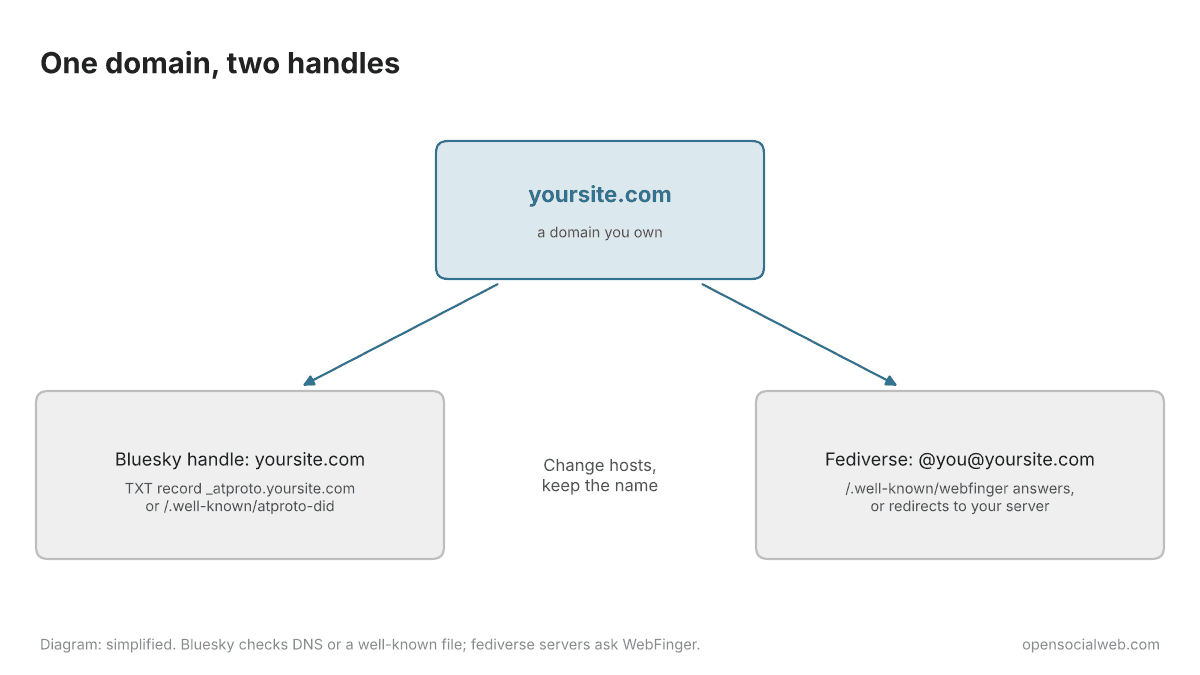
Diagram: Open Social Web, hosted at Pxef.com
Bluesky: one DNS record
Bluesky makes this easy because the AT Protocol was designed for it. Every account has a permanent ID, a DID, and the handle is just a name pointing at it.
- In the Bluesky app, go to the account settings and choose to change your handle, then pick the option to use your own domain.
- The app shows a value starting with
did=did:plc:. - Add a TXT record at your DNS host with the name
_atproto(so it reads_atproto.yoursite.com) and that value. - Back in the app, verify. Once it checks out, your handle is
yoursite.com.
If you can't edit DNS, the app also offers a file method: serve your DID at https://yoursite.com/.well-known/atproto-did. Static hosts handle that fine.
You can use a subdomain too, such as news.yoursite.com for a section account. Old mentions of your previous handle keep working, because they point at the DID, which doesn't change.
The fediverse: it depends who runs the account
On the fediverse, the part after the second @ in a handle is the server that answers for the account. To use your domain, your domain has to answer. There are three ways to get there.
Your site is the account. A WordPress site running the ActivityPub plugin answers fediverse lookups itself, so the blog's handle is on your domain from the start, like @yoursite.com@yoursite.com, with authors as @jane@yoursite.com. Ghost 6 does the same for Ghost sites.
A bridge answers for you. For a static site, Bridgy Fed can act as the account. To get the handle on your own domain, redirect two addresses, /.well-known/webfinger and /.well-known/host-meta, to Bridgy Fed. On Cloudflare Pages or Netlify that's a couple of redirect rules.
You run your own server. A self-hosted Mastodon instance can use your main domain for handles while running on a subdomain. It's the most control and by far the most work.
What doesn't fully work is pointing your domain at an account on someone else's Mastodon server. A WebFinger redirect can make @you@yoursite.com findable in search, but the account still lives at, and shows, the server's address.
Mistakes to avoid
Don't break the records later. If a DNS change or a site migration removes the _atproto record or the WebFinger redirect, the handle stops verifying. Add both to whatever checklist you use for DNS and hosting moves.
Pick the name once. Changing a Bluesky handle is painless. Changing a fediverse handle on your own domain is not, because followers know you by it.
Match it everywhere. Use the same domain in your fediverse:creator tag, your Mastodon verified links and your Bluesky profile. Consistency is what turns three accounts into one recognisable identity.
For what each network does with that identity, see ActivityPub vs AT Protocol vs Nostr.